
The Acorn · Imaging and recovery
Acorn Forensic Imager: acquisition and recovery
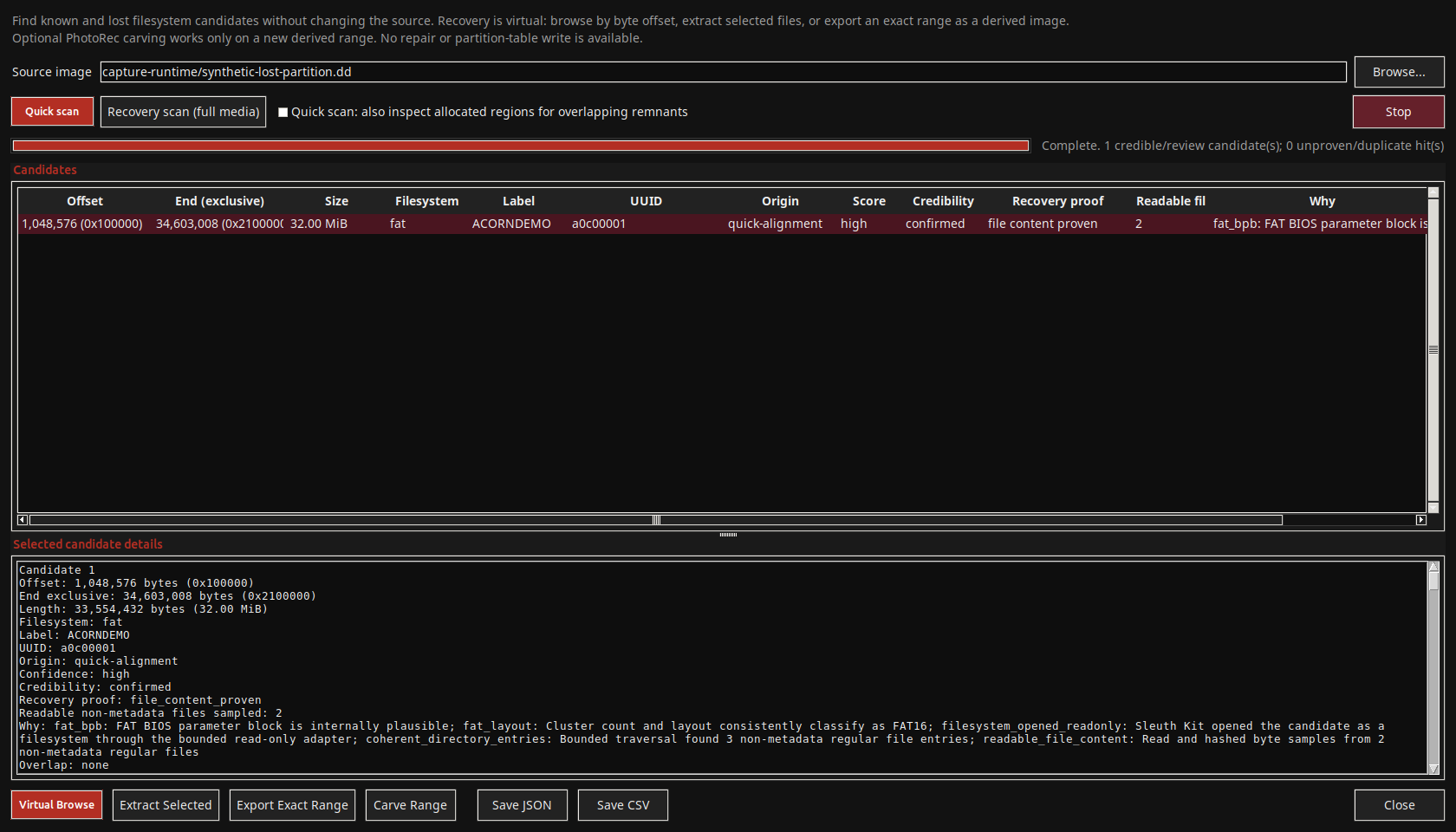
Set up E01 or RAW acquisition, collect a defined set of files and retain the associated hashes and logs. The Imager also opens tools for examining surviving partition structures.
Development preview · release planned for Q1 2027. This guide describes the current acquisition paths and the controls still being completed.
At a glance
- Acquire and document: record the case, source, destination, selected hashes and acquisition results.
- Preserve readable regions: the faulty-media route creates a RAW image and sector map for review.
- Explore surviving structures: Partition Recovery can find candidate volumes, browse supported filesystems and export derived ranges.
Set up an acquisition
Choose a route for a healthy source, unstable media or selected files. Check source access in Device Manager and select a separate output destination before acquisition.
| Feature | What it helps you do | What to check |
|---|---|---|
| Case and examiner details | Record case, exhibit, examiner, description and organisation details. | Check the references that will appear in the acquisition records. |
| Source and destination | Select a source, partition or supported input and a separate output location. | Checks cover source overwrite, system/evidence disks, existing output names and free space. |
| Healthy-disk E01 | Create an E01 image with a chosen EWF profile and compression. | Confirm that the backend and receiving tool support the chosen profile. |
| Image segments | Set a segment size; Quick E01 offers fast compression and a 700 MiB preset. | Keep the complete segment set. A segment hash and the hash of the imaged media describe different things. |
| Hash and verification controls | Select hash options and a separate EWF verification step. | Read the actual success, failure or inconclusive result. |
| Second destination | Create an additional working copy where the selected engine supports it. | Some engines write both destinations together; the ddrescue route makes a later copy. |
| Progress and records | Follow or cancel a job and retain its logs, hashes and manifest. | Review unreadable regions and interrupted or failed jobs. |
Imaging a faulty or unstable disk
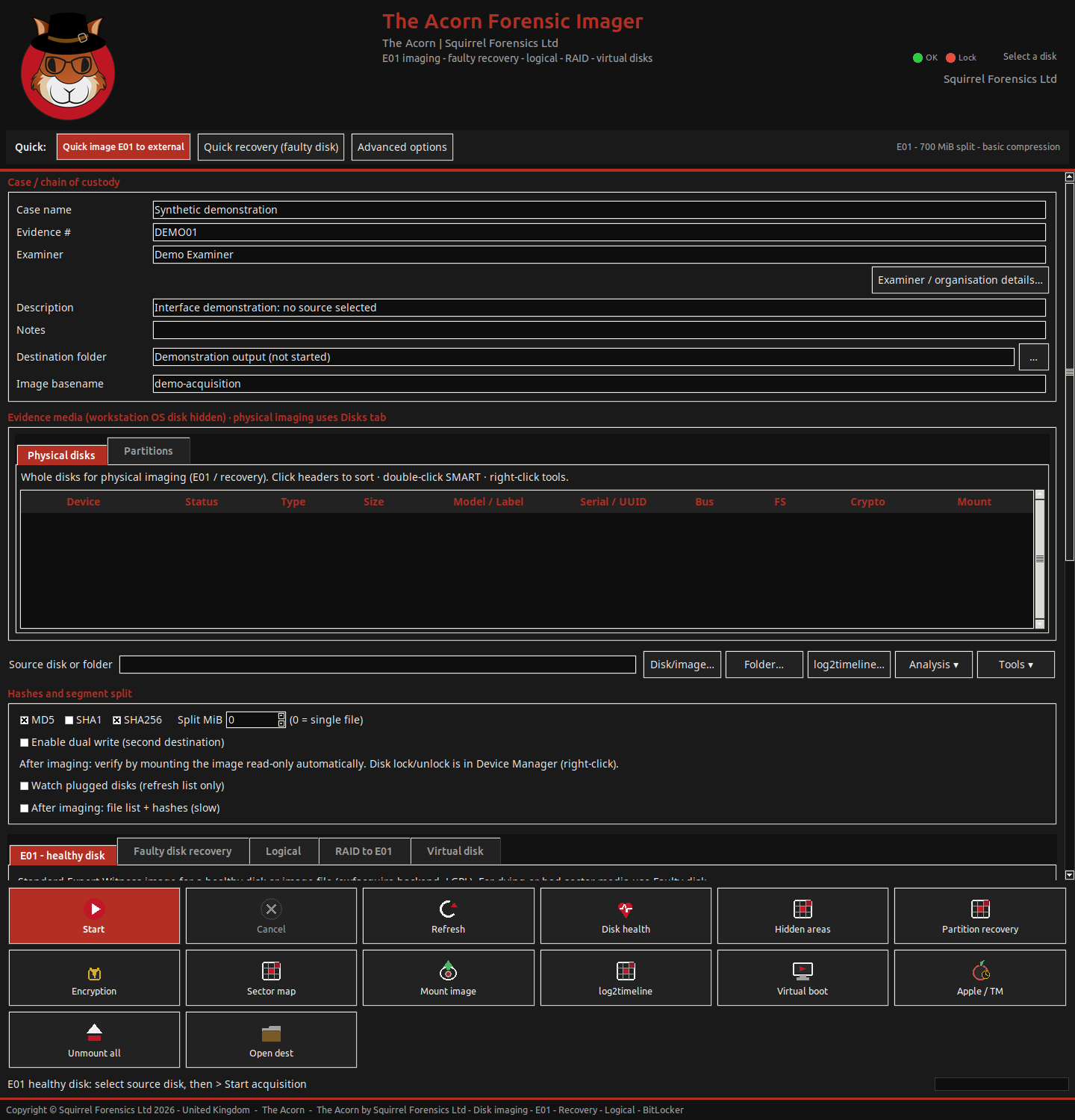
The Faulty disk route uses GNU ddrescue to create a RAW image and sector map. Its current fast pass prioritises readable regions without retry passes; Direct I/O and reverse-reading controls provide other access options.
Review the map summary or Live Disk Map to see unread and problem regions. Keep the map with the image and acquisition log.
Automatic retries and GUI resume are not ready in this build. Keep each image with its matching map; an old map must not be used with a new empty image.
Damaged media may require specialist hardware or laboratory recovery. The GNU ddrescue manual explains mapfiles and reading strategies.
Find and examine lost partition candidates
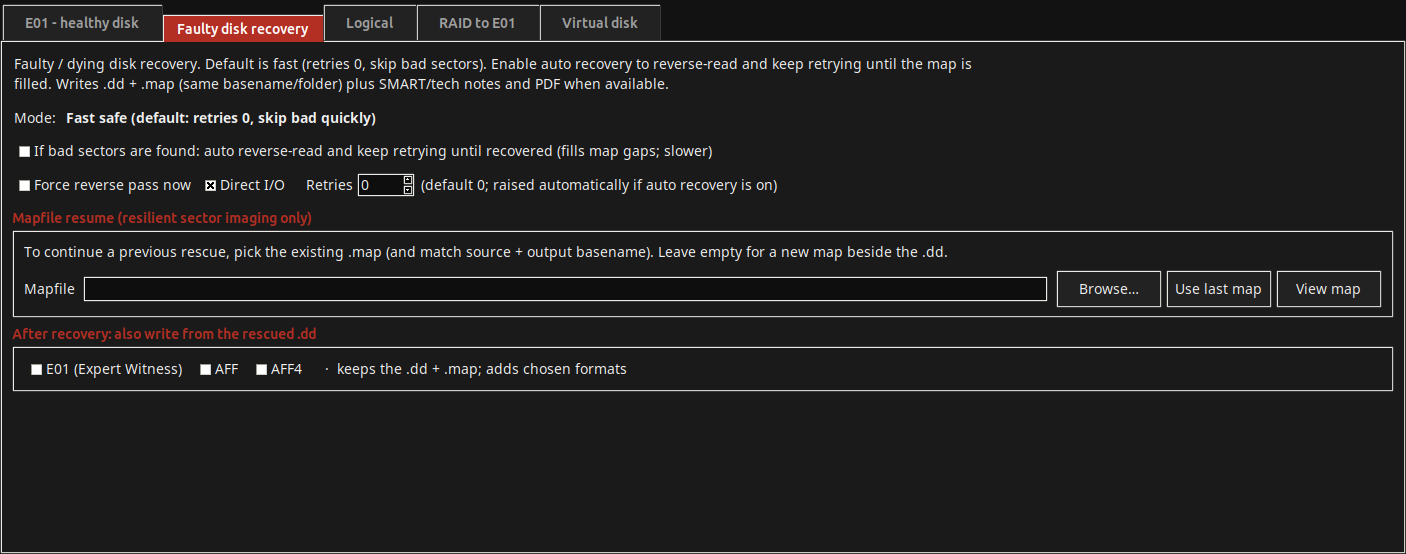
Open Partition Recovery from the Imager to scan RAW images, block sources or EWF images with the required reader. It searches surviving partition and filesystem structures without writing a replacement partition table.
| Action | What it shows or produces | Practical limit |
|---|---|---|
| Quick and recovery search | Check partition records, common start positions and, in a fuller search, additional surviving filesystem signatures. | A candidate is a lead. Overwritten structures, encryption and read errors may prevent a useful result. |
| Candidate review | Inspect byte ranges, filesystem indicators, origin, supporting observations and overlaps. | A recognised filesystem does not establish complete file recovery. |
| Virtual browse and extract | Inspect a supported candidate filesystem and extract selected files. | Detection and file access have different format support. |
| Exact-range export | Save a candidate’s bytes as a separate derived image, with bounds, source and hash records. | This preserves a range for further work. It does not repair the original volume. |
| Carve a range | Hand a newly derived range to optional PhotoRec carving, with a separate output location. | Carved files need validation; original names, folders and context may be missing. |
| JSON and CSV results | Retain scan scope, candidate findings and warnings for review or hand-off. | Exported scores and candidate records are supporting observations, not a recovery guarantee. |
Collect a defined set of files
Choose a full, Windows, Linux, macOS or custom profile for accessible files. Review its include/exclude rules and any source offset. Outputs can include files, timestamps, per-file hashes and a manifest.
Archive options include tar, tar.gz and 7z. DMG packaging depends on Apple or HFS+ tools; unavailable tools can trigger a different archive format. Check the output produced. Logical collection does not image unallocated areas.
Examine the collected files
After checking the acquisition, open a file in Forensic Navigator or use a focused viewer for SRUM, Windows events or USN records. Keep their source references when comparing results.
Check each output and verification result
Retain the source reference, settings, logs, hashes, map, manifest and acquisition report. The report records the job; it is not independent certification of the method.
Check each output separately. A completed RAW image does not establish that a later E01 or AFF conversion succeeded. EWF verification checks the image; mounting it only establishes an access path.
Options that need further work
These visible options are not complete acquisition features in the reviewed preview:
| Option | Current position | Planning implication |
|---|---|---|
| GUI resume and automatic retries | The visible controls do not complete these workflows. | Do not use them for unattended continuation or retry-until-recovery. |
| Virtual-disk acquisition formats | VMDK, VDI, VHDX and QCOW2 appear in the tab, but output conversion is not connected. | They are not supported acquisition outputs in this preview. |
| AFF4 option | The current output is a custom wrapper. | Standard AFF4-reader interoperability has not been established. |
Discuss an Acorn demonstration
For current release details, a demonstration or support for a specific source, speak to Squirrel Forensics. Alistair Ewing is a co-founder and co-developer of The Acorn. Compute Forensics provides independent forensic casework, with methods selected for the evidence and the agreed instruction.